A compact Thunderbird folderpane
A quick hello for my readers. We fixed some problems which appeared in Firefox and Thunderbird with our new GTK+ theme for Karmic today. After that, I wanted to see if I finally could make the Thunderbird folderpane a bit more compact so it would fit my screen – and I wouldn’t need to scroll to see the folders in the bottom. The result looks like this:
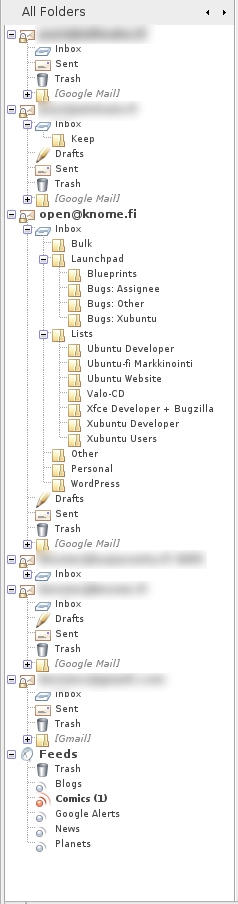
The font size of the folders are 9px, except the server/account ones, which are 11px to stand out a bit. The code you should have in your ~/.mozilla-thunderbird/yourprofile.default/chrome/userChome.css is:
#folderTree treechildren::-moz-tree-row {

height: 12px !important;

padding-top: 2px !important;

margin-bottom: -3px !important;

}
#folderTree treechildren::-moz-tree-cell-text(folderNameCol) {

font-size: 9px !important;

}
#folderTree treechildren::-moz-tree-cell-text(isServer-true) {

font-size: 11px !important;

}
Be warned though, this isn’t a problem-free solution. When you select any of the folders, the folder icons get cutted from the bottom. Also, as you see in the screenshot, some images (Feeds folders) are very near to overlapping each other. If I have the time to find out a better solution, I will post a follow-up. If you happen to know how to fix this quickly and cleanly, please post a comment so we can all enjoy.